Built by BytesFX
Pivot Parlor
Platform
A multi-shop booking and business platform that generates branded shop websites and connects customer booking with owner, staff and operator tools.

The problem
Independent salons and barbershops need a distinct online identity and the operational tools to manage appointments, staff, walk-ins and in-store sales.
What we built
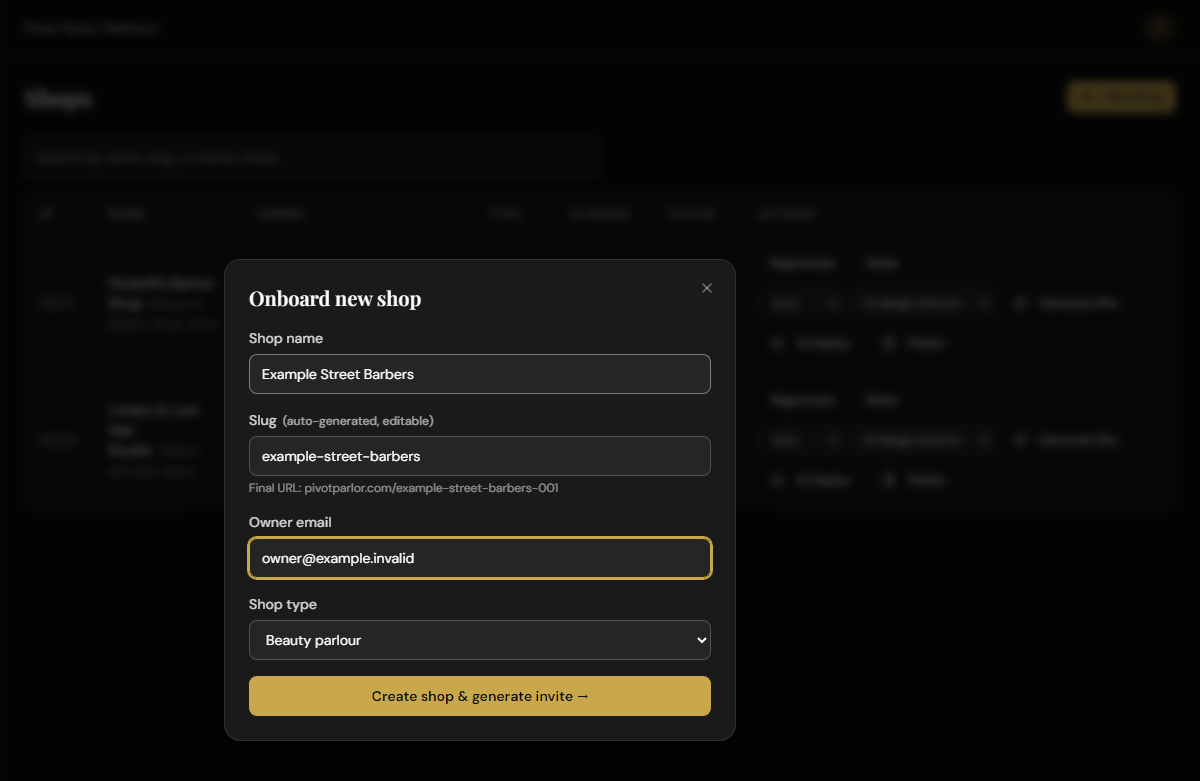
BytesFX built Pivot Parlor as a multi-tenant web platform with separate customer, shop-owner, staff and operator experiences. The operator opens each shop and the owner adds services, team, hours and style notes. An AI-assisted design and content workflow then produces a branded booking website, with every factual claim traced to the owner’s details. Customers book as guests and receive an email confirmation and reminder. Behind the public sites, the platform brings scheduling, walk-in queues, point of sale, stock and revenue tools into the shop workspace.
One platform, distinct shop experiences
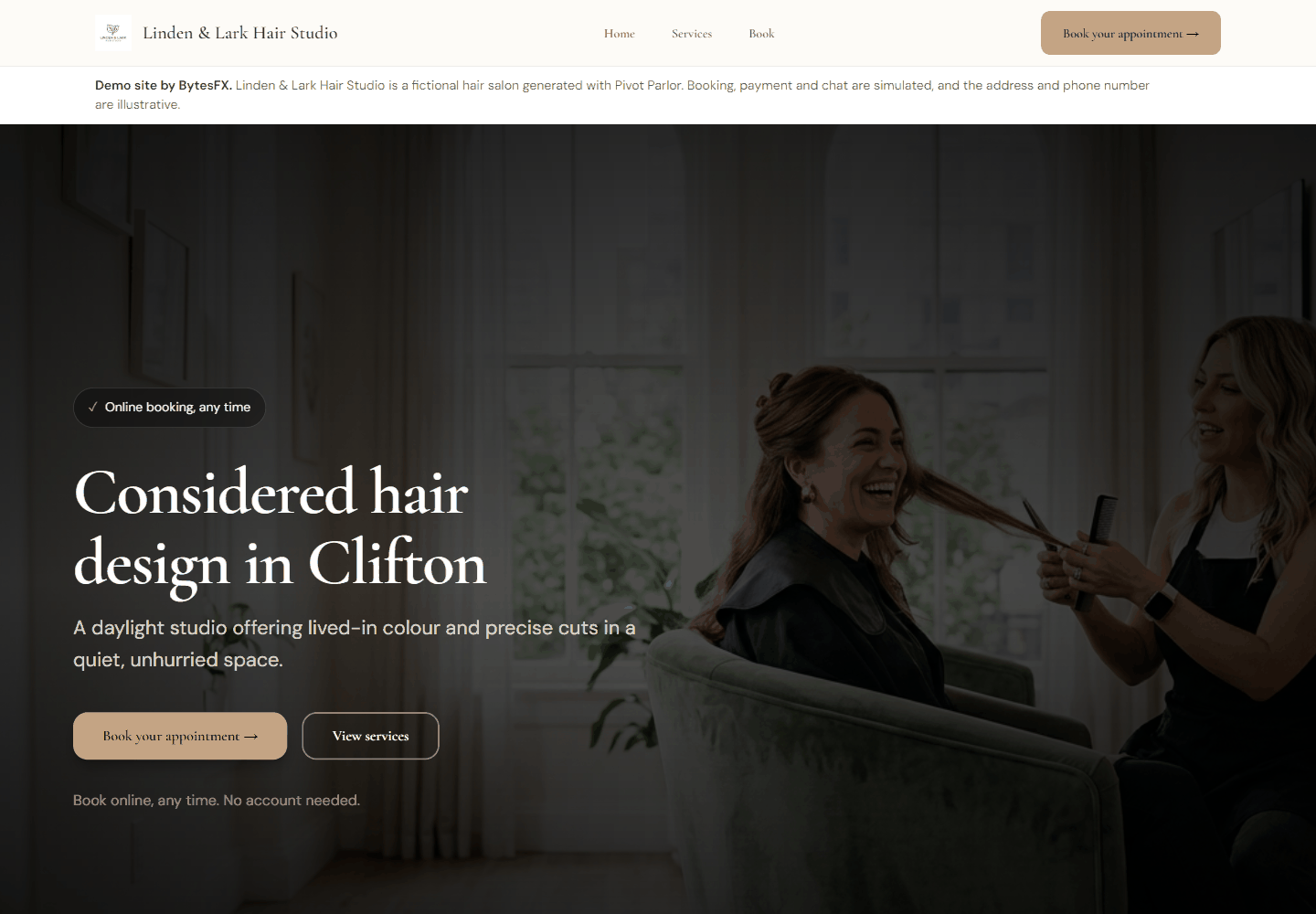
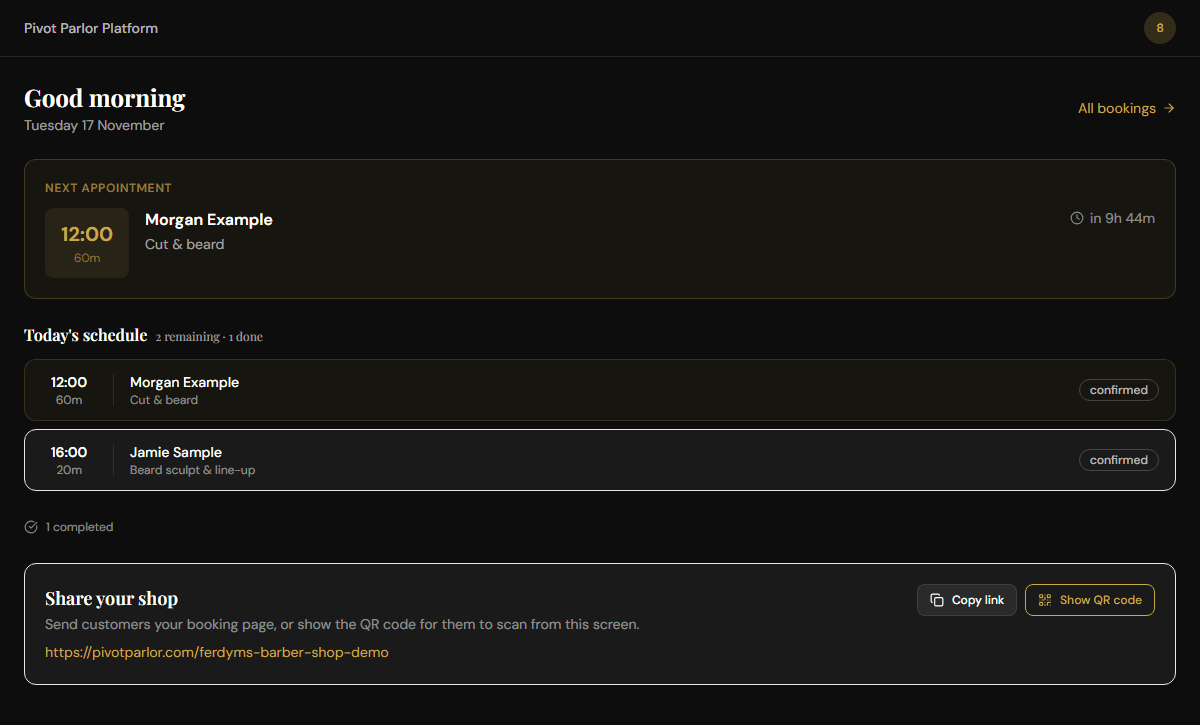
Each shop’s site has its own copy, imagery, typography, colours and section mix within a shared page framework. Customers explore a shop through its own site and book as guests. Operators open and publish shops; owners run the business and approve site updates; staff have a focused day-to-day workspace.
Online booking and shop operations
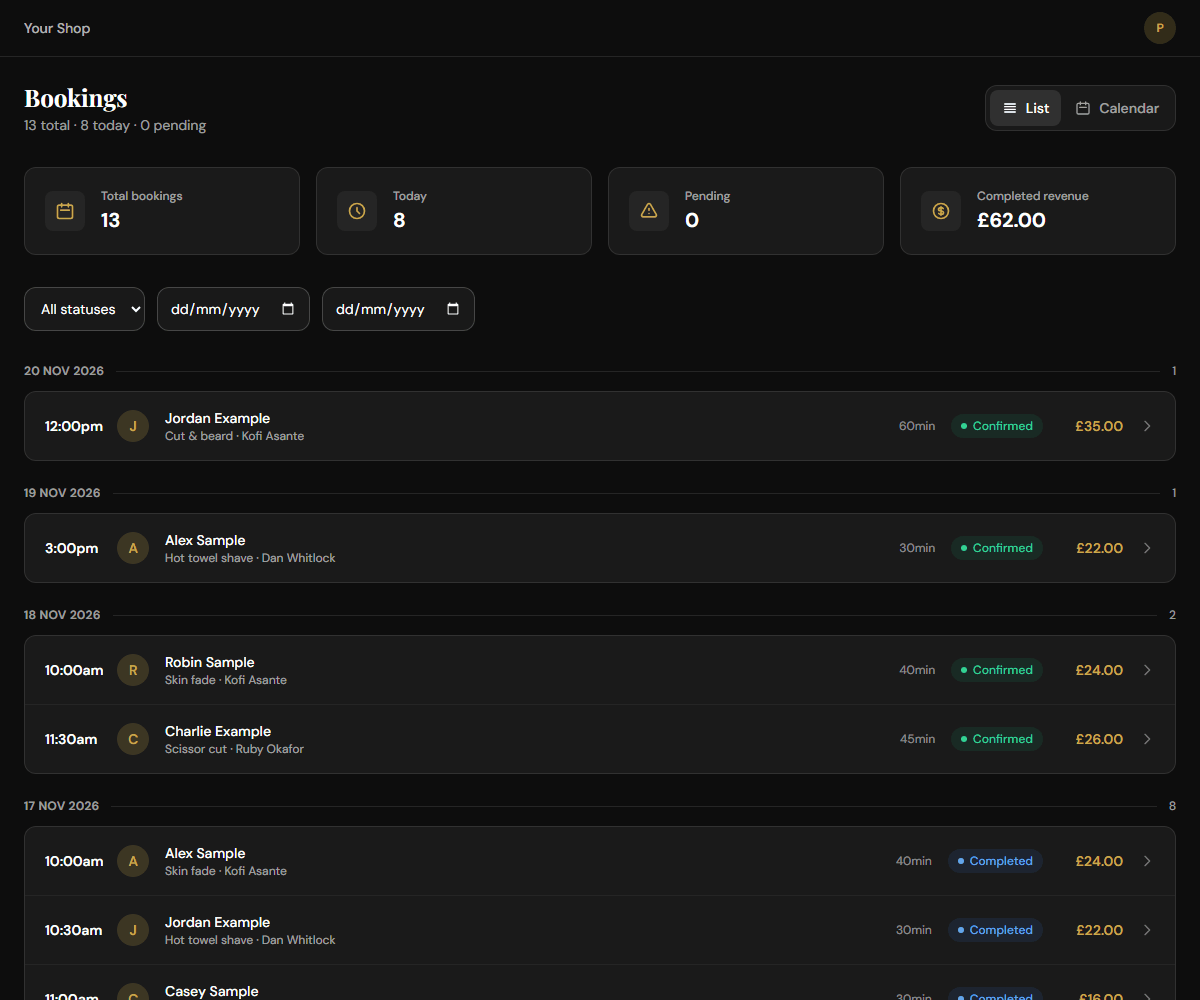
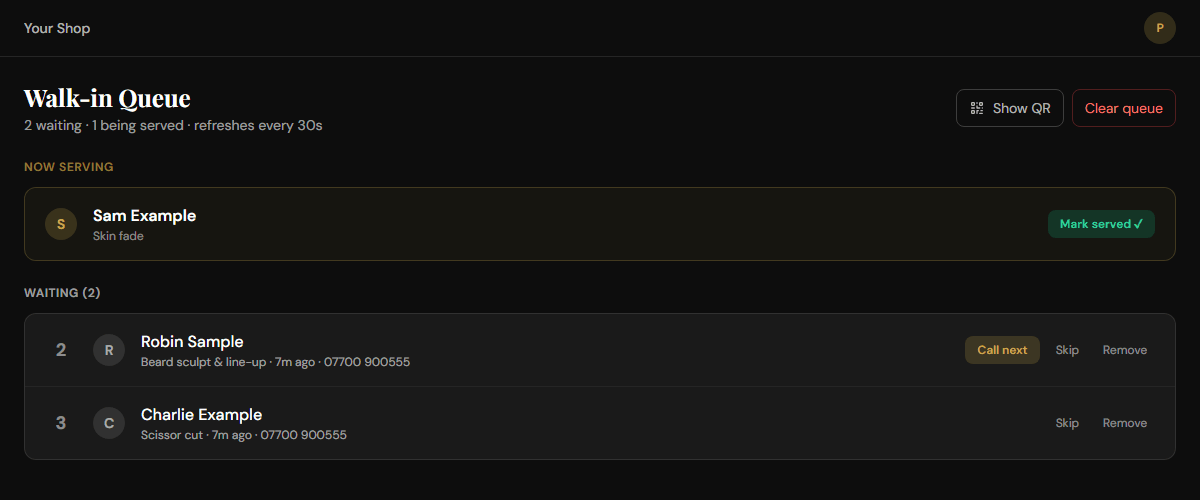
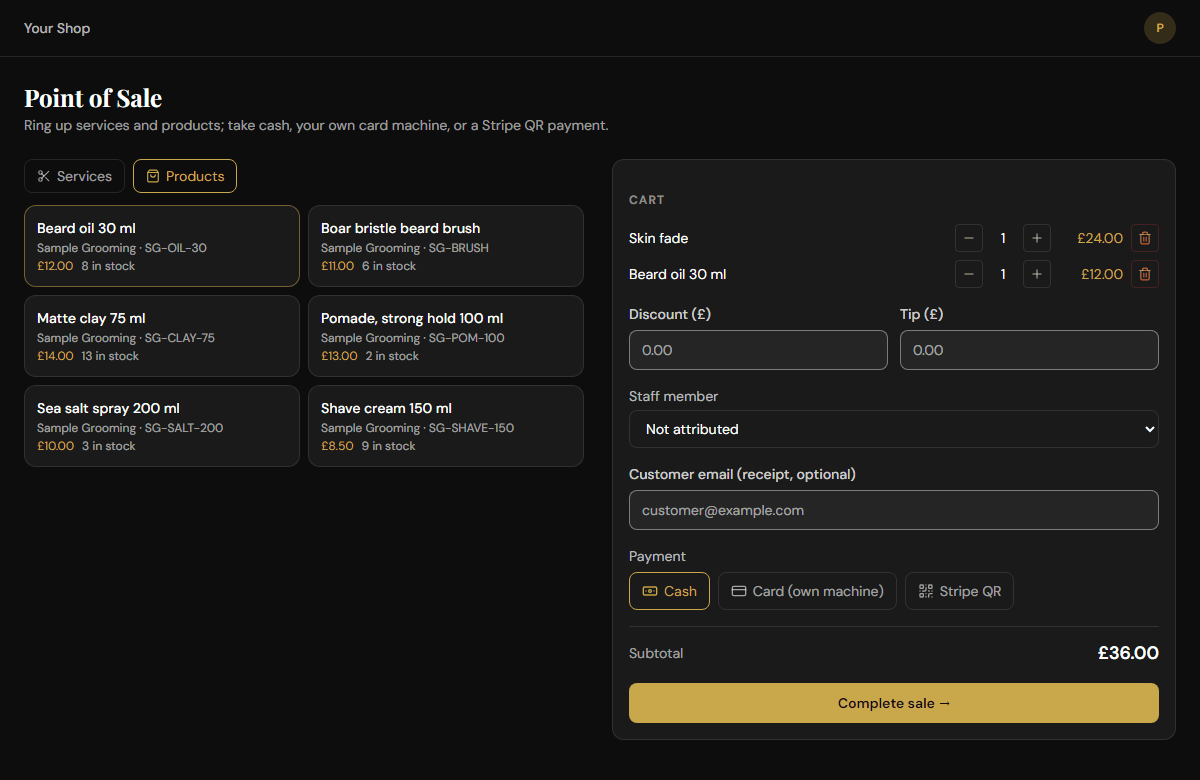
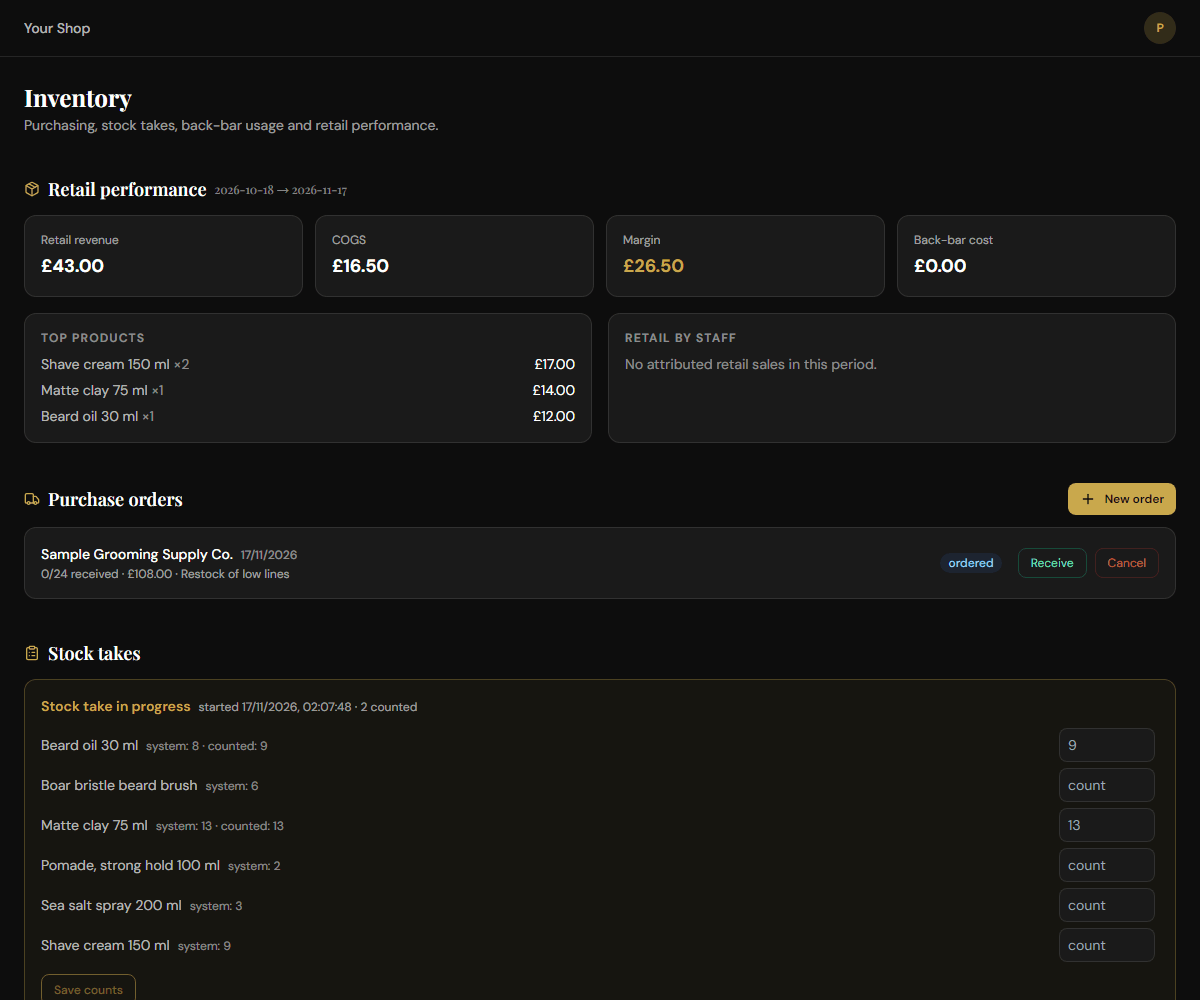
The platform includes appointments, walk-in queues, waitlists, retail stock, purchasing, stock-takes and returns, with optional card deposits. Online payments currently run in test mode, and confirmations and reminders are sent by email. Shop sites are responsive and can be added to a phone’s home screen. The public demo shops use sample booking data and a scripted chat; nothing is booked, charged or emailed.
Generated from the owner’s own details
Site generation draws only on what the owner provides. Claims that cannot be traced to those details are dropped, so no reviews, ratings or guarantees are invented. When a live site is regenerated, the new version waits as a private preview until the owner publishes it.
Our delivery scope
BytesFX led the complete delivery, from design and development to integration and deployment.
- Multi-shop product architecture and experience design
- AI-assisted site generation and branded frontends
- Customer booking, staff scheduling and queue workflows
- Owner/operator dashboards, POS and inventory tools
- Backend, payment and AI integrations; web/PWA deployment
A contrasting shop from the same platform
Inside the shop workspace
Owner, staff and operator screens from a local copy of the platform, using sample data. No real shop, customer or payment is shown.
Workflow
How the system works
Platform setup creates a shop-specific customer experience, connected to role-based business operations.
Platform and shop creation
-
Owner action
Onboarding
The operator opens the shop; the owner adds services, team, hours and style notes
-
Design and content
Generate branding, copy and imagery from the owner’s details
-
Shop frontend
The operator publishes the branded web and installable phone experience
Customer booking
-
Services and staff
Choose what to book and who with
-
Availability
Select an available appointment
-
Deposit if required
Card deposit for eligible bookings (test mode)
-
Appointment
Email confirmation and reminder
Business operations
-
Owner and staff
Manage schedules, appointments and queues
-
In-store work
POS, inventory and returns
-
Owner action
Reporting
Review revenue and business activity
Follow the arrows within each workflow. Steps marked “Owner action” retain a human decision or action.